MiniRobotLanguage (MRL)
FIL.Length
Returns the Length of a given File

Intention
This Command is used to return the File-Length . The Command
$$FIL=C:\Tesffile.txt
FIL.Length|$$FIL|$$RES
MBX.The file length is $$RES
If you omit P3 then the result will be placed on the TOS.
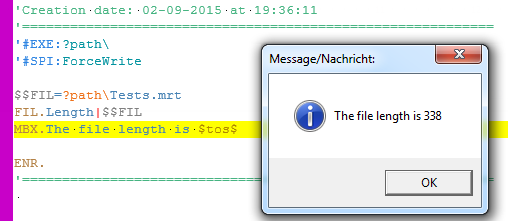
$$FIL=C:\Tesffile.txt
FIL.Length|$$FIL
MBX.The file length is $tos$
Syntax
FIL.Length|P1[|P2]
Parameter Explanation
P1 - Filename and Path to the file
P2 - (optional) Variable for the result. If omitted the result is placed on TOS.
Example
'*****************************************************
' EXAMPLE 1: FIL.Length
'*****************************************************
$$FIL=?path\Tests.mrt
FIL.Length|$$FIL|$$RES
MBX.The file length is $$RES
ENR.
'*****************************************************
' EXAMPLE 2: FIL.Length
'*****************************************************
$$FIL=?path\Tests.mrt
FIL.Length|$$FIL
MBX.The file length is $tos$
ENR.
Remarks
Uses 64 bit numbers, can be used for files of any size.
Limitations:
-
See also:
• IEF. / NEF. - If - exist - File