MiniRobotLanguage (MRL)
FIL.gnn
FIL.Generate numbered Name
Just generate a Filename with a formatted Number in it

Intention
This Command is used to generate a name for Files or Folders with a builtin Number,
compatible with the otehr FIL.-Commands of that sort.
Generally the "?" in the Filename is replaced with the number during the process.
'Teste FIL "GNN mit Folder".
VAR.$$LAA=?path\Testfolder\
$$LAB=$$LAAFile?\
$$LAC=5
$$LAD=3
FIL.gnn|$$LAB|$$LAC|$$LAD|$$RES
$$LAE=$$LAAFile005\
'JIS.$$RES!$$LAE|Lab_failed
MBX.Filename is: $$RES
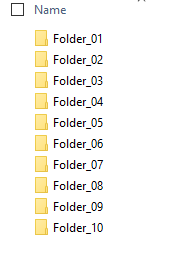
This is how such "Numbered files" or folders do look.

Syntax
FIL.gnn|P1|P2|P3[|P4]
FIL.Generate numbered Filename|P1|P2|P3[|P4]
Parameter Explanation
P1 - Filename and Path, it must contain a "?".
The "?" will be replaced with the formatted Number during the process.
If P1 ends with a \ then its taken as a folder-name.
P2 - (numeric) Variable or value with the number to insert.
P3 - (numeric) Variable or value with number of digits to format the number.
0/1 - do not format the numbers, e.g. File_2.txt
2 and higher: - format with number of digits in P3,
Default: Numbers will not be formatted.
P4 - (Output) Variable with the result of the operation.
If omitted the result is placed on TOS.
Example
'*****************************************************
' EXAMPLE 2: FIL.gnn
'*****************************************************
'Teste FIL "GNN mit Folder".
VAR.$$LAA=?path\Testfolder\
$$LAB=$$LAAFile?\
$$LAC=5
$$LAD=3
FIL.gnn|$$LAB|$$LAC|$$LAD|$$RES
$$LAE=$$LAAFile005\
'JIS.$$RES!$$LAE|Lab_failed
MBX.Filename is: $$RES
ENR.
Remarks
Can acess very large pathes up to 32767 characters due to the use of NTFS-direct.
Limitations:
-
See also:
• IEF. / NEF. - If - exist - File