MiniRobotLanguage (MRL)
FIL.gnf
FIL.Generate numbered Files
Generates a series of numbered files or folders

Intention
This Command is used generate a series of Files or Folders with a builtin Number.
Generally the "?" in the Filename is replaced with that number.
If there is a supplied Text, with a "%n" in it, this will be replaced with the formatted number.
$$MSG=Teste FIL "GNF mit File".
$$LAB=$$LAAFile_?.txt
$$LAC=This Text has number %n.
FIL.gnf|$$LAB|$$LAC|1|10|2|1
VAR.$$LAE=$tos$
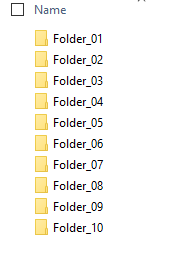
This is how such "Numbered files" or folders do look.

Syntax
FIL.gnf|P1|P2|P3[|P4][|P5]
FIL.generate numbered files|P1|P2|P3[|P4][|P5]
Parameter Explanation
P1 - Filename and Path to the file, it must contain a "?".
The "?" will be replaced with the formatted Number during the process.
If P1 ends with a \ then its taken as a folder-name.
P2 - (numeric) Variable or value with the first number (starting number).
P3 - (numeric) Variable or value with the last number (ending number).
The process will generate the numbered files between the number in P1 and P2.
P4 - (numeric) Variable or value with number of digits to format the number.
-1 - do not format the numbers, e.g. File_2.txt
0 - format with number of digits in P3, e.g. if P3=10, File_02.txt
1 - format with number of (digits in P3)+1, e.g. if P3=10, File_002.txt
For example: If the number is 3, then the values will be formatted like this: "005".
If this is 0 or 1 there will be no visible change.
Default: Numbers will be formatted depending on the (amount of digits in P3).
P5 - (numeric) Variable or value can be 0 or 1 and describes if you want to overwrite existing Files or not.
Default is "1" (Overwrite existing files).
Speed in Ticks:
This Command uses typically around 1020 Ticks.
Example
'*****************************************************
' EXAMPLE 2: FIL.gnf
'*****************************************************
$$MSG=Teste FIL "GNF mit Ordner".
$$LAB=$$LAAFolder_?\
$$LAC=Dies ist ein Text mit der number %n.
FIL.gnf|$$LAB|$$LAC|1|10|2|1
' TOS contains the number of created files
VAR.$$LAE=$tos$
MBX.Files created: $$LAE
ENR.
Remarks
Can acess very large pathes up to 32767 characters due to the use of NTFS-direct.
Limitations:
-
See also:
• IEF. / NEF. - If - exist - File