MiniRobotLanguage (MRL)
TXT.rep
TXT.Replace
Search a Text in the TXT.-internal Buffer and replace it with a given other sequence.
Intention
This Command is used to replace all occurrences of a Search-String in the TXT.-Buffer with another String.
'Replace all "e" with "ef" in internal TXT.-Buffer
VAR.$$LAB=e
VAR.$$LAC=ef
TXT.rep|$$LAB|$$LAC
ENR.
VAR.$$LAA=?path\..\Pics\Test.txt
TXT.ltf|$$LAA|$$RES
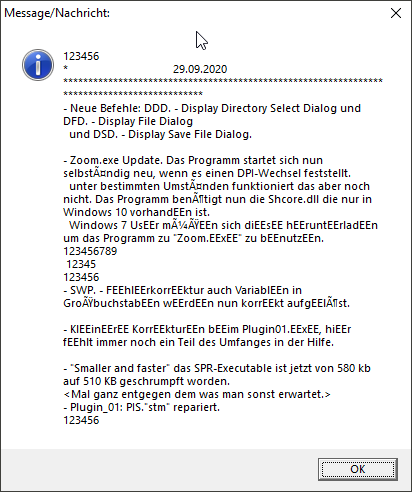
' This example shows all features of TXT.rep
' We are running in 2 times so its clear that as this is NOT an Equalcase-Replace,
' the "EE" will not be treated as "ee" and therefore also not replaced.
' This is the difference to TXT.rit
TXT.rep|e|EE|520|800
TXT.rep|e|EE|520|800
' You can also see that the replace starts a Position 520, as specified and ends at Position 800.
' So the start of the text is unchanged and also the end.
Syntax
TXT.rep|$$SEA|$$REP[|$$STA][|$$END]
TXT.Replace|P1|P2[|P3][|P4]
Parameter Explanation
P1 - (Input) Variable with String to search for.
P2 - (Input) Variable with the String that shall replace the String in P1.
P3 - (optional, numeric) Variable with a Byte-Position in the TXT.-Buffer, if given the replace will start at that Position.
If omitted the Text is been searched and replaced from Position 1.
P4 - (optional, numeric) Variable with a Byte-Position in the TXT.-Buffer, if given the replace will end at that Position.
If omitted the complete Text is been searched and replaced to the end.
Example
'*****************************************************
' EXAMPLE 1:
'*****************************************************
VAR.$$LAA=?path\..\Pics\Test.txt
TXT.ltf|$$LAA|$$RES
VAN.$$STA=100
'Replace all "e" with "ef" in internal TXT.-Buffer starting from Byte-Position 100
VAR.$$OLD=e
VAR.$$NEW=ef
TXT.rep|$$OLD|$$NEW|$$STA
ENR.
Remarks
-
Limitations:
-
See also:
• Pop_Keep